

Autism Internet Safety for Autistic Teens: A Parent’s Social Media Guide
Autism internet safety helps teens pause, check, and ask before replying online. Strengthen privacy, block threats, and protect daily screen time for families.

Key Points:
- Autism internet safety for autistic teens starts with clear, repeatable rules that build consistent habits across platforms.
- Teach three core rules: Pause-Check-Ask, Personal Info Stays Private, and Stop-Block-Tell, through visual aids, role-play, and daily routines.
- Practice strengthens safety skills before problems begin, especially during high-risk times like after school.
Phones and apps can feel like a second world for teens, and that world moves fast. A national teen survey found 46% of U.S. teens say they are online “almost constantly,” which means problems can start and spread in minutes.
Social media can also be a real source of connection, especially for autistic teens who feel safer texting than talking. Clear rules, practiced scripts, and repeatable routines can maintain that connection while reducing risk.

What Makes Social Media Risky for Autistic Teens?
Social platforms reward fast replies, significant reactions, and sharing more than you planned. That mix can clash with common teen challenges, such as impulsive responding, taking messages literally, or missing hidden intent.
Online safety skills often break down into three teachable parts. A teen learns what to look for, what to do in the moment, and what to do next if something feels off.
A practical way to teach those parts is to build one “pause step” and then layer other skills on top of it. A pause creates spac for your teen to check the situation before replying, posting, or sending a photo.
A few patterns tend to show up for autistic teens:
- Social pressure that feels intense in group chats.
- Friendship rules that shift without warning.
- Strangers who look friendly but push for private messages.
- Games and apps that mix social talk with money prompts.
A short home plan can turn these risks into predictable practice. The goal is not perfect behavior. The goal is repeatable steps your teen can use even when emotions run high.
Autism Internet Safety: What to Teach First?
Autism internet safety works best when you teach a small set of “always” rules your teen can use across apps. That creates consistency, even when platforms change.
A strong starting set includes a decision rule, a privacy rule, and a help rule. Each rule should have a simple phrase your teen can say out loud.
Three core rules that work across most platforms:
- Pause-Check-Ask: Pause before replying, check the message, and ask a parent if it feels confusing or urgent.
- Personal Info Stays Private: Home address, school name, phone number, location tags, and schedules stay off public posts and chats.
- Stop-Block-Tell: Stop replying, block the account, and tell an adult the same day.
Practice lands better when it feels like a rehearsal rather than a lecture. A quick way to do that is a three-minute role-play right after school, before your teen gets fully absorbed online.
Simple teaching tools that help:
- Visuals: A “Green Light, Yellow Light, Red Light” chart taped near the charging station.
- Reinforcement: A small reward for using the pause step, even if the situation turns out harmless.
- Post Templates: A short checklist beside the “post” button, like “No location, no school name, no full face photo if account is public.”
Autism Internet Safety Scripts for DMs
Direct messages can feel personal fast, even when the person is a stranger. Scripts reduce pressure because your teen does not need to invent the right words in the moment.
A few starter scripts to practice:
- Boundary Script: “I do not share personal info online. Please stop asking.”
- Delay Script: “I cannot answer right now. I will reply later.”
- Exit Script: “I am leaving this chat now.”
- Parent Help Script: “My parent checks my messages. I cannot keep secrets online.”
Role-play each script in two versions. A calm version helps for low-stress moments. A firm version helps when the message feels pushy.
How Do You Teach Cyberbullying and Group Chat Safety?
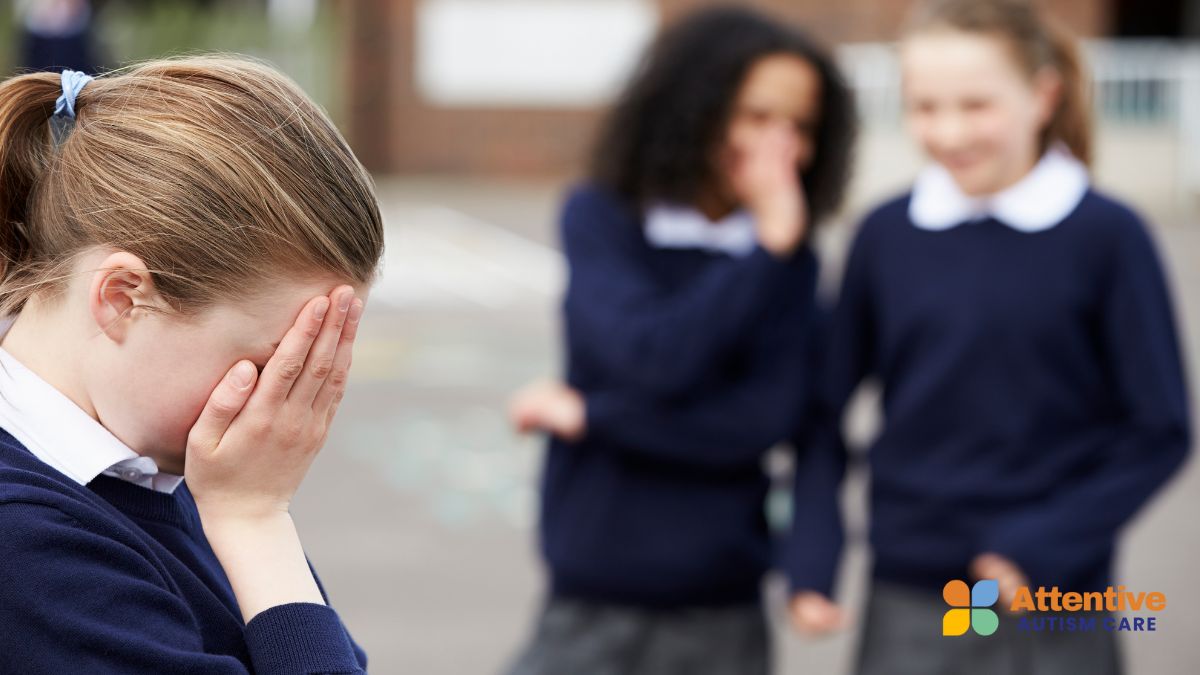
Cyberbullying often hits hardest because it follows teens home. A federal bullying resource reports 16% of high school students were electronically bullied in the prior year. That number is a reminder to teach skills before a problem starts, not after.
Group chats add extra pressure. Teens can feel pressured to reply quickly, laugh at jokes they do not like, or share screenshots to prove loyalty. A good teaching target is “what counts as bullying online,” since teens may label it as drama or teasing. Help your teen spot repeated patterns, not just one mean message.
Common cyberbullying signs to teach:
- Messages that target a trait, a mistake, or a private detail.
- “Jokes” that continue after someone asks to stop.
- Group chat pile-ons where multiple people join in.
- Screenshots are shared to embarrass or isolate someone.
Practical skills that reduce harm:
- Mute First: Mute the chat for a set time so your teen can calm down.
- One Reply Limit: One clear boundary message, then no more replies.
- Screenshot Routine: Screenshot, then stop typing.
Red Flag → Parent Action mini-cards
- Red Flag: Someone posts a screenshot of your teen’s messages.
Parent Action: Screenshot the post, save the date and usernames, and report it in-app the same day. - Red Flag: A group chat turns into name-calling or threats.
Parent Action: Help your teen leave the chat, block the worst accounts, and document the most serious messages. - Red Flag: Bullying spills into school.
Parent Action: Share documentation with school staff, focus on safety steps, and ask about upcoming supervision changes.
Skill-building can stay concrete. A weekly practice can include reading three example messages and sorting them into “ignore,” “block,” or “tell.”
How Do You Protect Teens From Scams and Fake Accounts?
Scams often start as friendly messages, job offers, giveaways, or “urgent” requests. Fraud is also rising overall. A federal consumer report says people reported losing more than $12.5 billion to fraud in 2024.
Autistic teens may be more likely to respond to messages that feel rule-based or authoritative, such as “Your account will be deleted” or “Verify now.” Teaching a delay step helps a lot here.
A simple rule that parents can repeat is “No money, no codes, no clicks.” That rule covers gift cards, payment apps, verification codes, and random links.
Skills to teach for scam resistance:
- Two-Step Check: Verify the message with a second method, such as asking a parent or checking the official app site.
- Link Pause: Open links only after reading the full URL and confirming the sender.
- Code Lock: Never share one-time passcodes, even with “friends.”
Gaming and in-game chat deserve special attention. In-game chat can mix social bonding with trading, gifting, and private invites.
Helpful home rules for games:
- Chat Limits: Use friends-only chat when possible.
- Trade Rules: No trades without a parent check.
- Voice Chat Rules: Voice chat stays off unless the group includes known real-life friends.
Red Flag → Parent Action mini-cards
- Red Flag: Someone asks for a code, gift card, or payment “to prove friendship.”
Parent Action: Block the account, report the message, and change passwords if any info was shared. - Red Flag: Your teen receives a message saying an account will be locked today.
Parent Action: Check the account through official settings, not through the message link. - Red Flag: A “friend” pushes your teen to move to a private app.
Parent Action: Treat it as high risk, pause all contact, and review the account together.

How Do You Spot Grooming, Sextortion, and Unsafe DMs?
Grooming often looks like attention and compliments at first. The risk rises when the person asks for secrecy, photos, or a move to private chats.
Reports show this is not rare. A national child safety organization reports the CyberTipline received more than 186,800 reports of online enticement in 2023, and the number rose by more than 300% between 2021 and 2023.
Image sharing and livestreaming bring extra pressure because teens may feel trapped once something is sent. Focus on teaching “no secrecy” and “no urgency” as safety rules.
Skills to teach for grooming resistance:
- Secret Rule: Adults and older teens do not ask kids to keep secrets from parents.
- Photo Rule: No private photos for online friends, even if they send one first.
- Meet-Up Rule: No meet-ups without a parent present and confirmed details.
Role-play the challenging moments directly. A teen can practice a “no” script and also a “tell” script.
Scripts that help in risky situations:
- “I do not send photos. Stop asking.”
- “I am not keeping this private. I am telling my parent.”
- “I do not meet people from the internet.”
Red Flag → Parent Action mini-cards
- Red Flag: The person asks for photos, video calls, or “proof” of feelings.
Parent Action: Block, report, and save messages. Consider making a CyberTipline report if sexual content or coercion shows up. - Red Flag: The person threatens to share images or screenshots.
Parent Action: Stop all contact, document threats, and seek help right away through platform reporting and local authorities if needed. - Red Flag: Your teen starts hiding screens or panics when a message arrives.
Parent Action: Stay calm, focus on safety, and ask to look together using a short plan you already practiced.
Family Media Plan That Actually Works After School
Autistic teens online safety improves when home rules feel predictable and fair. A family media plan works best when it is short, posted, and practiced like any other routine.
After school is a high-risk time. Teens feel tired, hungry, and emotionally complete. A check-in routine reduces the likelihood that your teen will handle a scary message alone.
Parts of a plan that parents can actually keep:
- Device-Free Zones: Bedrooms and bathrooms stay device-free, or devices charge outside those spaces.
- Time Windows: A clear start and stop time for social apps, with a timer your teen can see.
- DM Rules: New friend requests and DMs require a parent check until your teen consistently shows the skill.
A check-in can stay short. A quick prompt is often enough to catch problems early.
A simple daily check-in routine:
- One Good Thing: “Show me one fun post you saw today.”
- One Weird Thing: “Did anything feel confusing or uncomfortable?”
- One Next Step: “Do we need to block, report, or ignore anything?”
Reinforcement can be built into the plan. A teen can earn extra social time by using the pause step, asking for help, or following the DM rule.

How Do You Teach Privacy Settings as a Repeatable Skill?
Privacy settings can feel like a one-time setup, but apps update often, and settings can change. Treat privacy as a skill your teen practices, not a parent task done in secret.
Start with a short routine that repeats on a schedule. A teen learns the steps the same way they learn a morning routine.
A repeatable privacy routine can include:
- Profile Check: Review bio, photo, and linked accounts.
- Audience Check: Confirm who can see posts, stories, and comments.
- Message Check: Confirm who can message, add to group chats, or tag.
A visual checklist helps. A teen can also learn to name each setting out loud, which supports recall under stress.
A practice plan that builds independence:
- Model: You show the steps once while your teen watches.
- Do Together: Your teen clicks, you guide with prompts.
- Do Alone: Your teen completes the checklist, then shows you the final screens.
Privacy practices also help mitigate oversharing and doxxing risks. A teen can learn the difference between “fun facts” and “traceable facts,” then apply that rule before posting.
Frequently Asked Questions
Should parents use monitoring apps for teens?
Parents can use monitoring apps for teens when safety is a concern, but clear agreements work better than hidden tracking. Explain what you’ll check, when, and why. Pair brief weekly reviews with teaching privacy habits and response scripts to build trust and support safer online choices.
How often should we review friend lists and follower lists?
Review friend and follower lists weekly at first, especially during the initial use of a new app or social changes. Shift to every two to four weeks once your teen follows safety steps, uses pause before replying, and blocks or reports when needed. Spot-check after major online shifts or the launch of new apps.
What is the safest way for a teen to join new group chats or servers?
The safest way for a teen to join group chats or servers is by setting rules before joining. Only allow groups linked to real-life friends or moderated spaces with clear rules. Review the group’s purpose and member list, limit private messages, and create a plan to leave quickly if things go wrong.
Get ABA Therapy Support for Safer Online Habits
ABA therapy services in Maryland, Colorado, Utah, North Carolina, New Mexico, and Nebraska can help turn online rules into real-life skills your teen can use when DMs get pushy, group chats heat up, or a message feels off.
Attentive Autism Care provides in-home, family-centered ABA therapy, so you can practice the same scripts, role-plays, and check-in routines you use at home, then adjust them as apps and social situations change.
Reach out to us and get a clear, workable plan that reduces after-school stress, strengthens privacy habits, and helps your teen respond more quickly to red flags.































































































Attentive Autism Care delivers compassionate, home-based ABA therapy, offering personalized support to help children with autism thrive and achieve their best.
